Designing confidence into a high-risk engineering workflow (Git Diff)
The Problem
⚠️ At Matillion, data engineers build and manage cloud data pipelines using version control to track and save their work. Version control works by letting engineers commit changes, essentially saving a snapshot of their work at a given point. But before committing, engineers had no way to see exactly what they were about to change.
They were flying blind.
The result was predictable. Engineers hesitated. They made mistakes. They undid their own work at high rates. And they started avoiding version control features altogether, which undermined collaboration across the whole team.
The challenge wasn't to add a feature. It was to give engineers the confidence to act.
My Role
I led the full design process end-to-end:
- Discovery planning and user research
- Competitive analysis of how other developer tools handle this problem
- Co-design workshop facilitation
- Prototyping and testing
- UX delivery, design QA, and analytics setup
- Post-launch tracking and iteration planning
This project touched research, product strategy, engineering alignment, interaction design, and behavioural change.
Results
✅ 34% increase in successful commits
✅ 15% decrease in error recoveries
✅ 100% task success rate in usability testing
Context
Matillion's Data Productivity Cloud helps data engineers build and manage cloud-native data pipelines. Version control was already part of the workflow, but users had no way to see what changed before saving their work. That lack of visibility created uncertainty, mistakes, and frequent undos, making version control feel risky rather than reliable.
Data engineers needed clarity before they could trust the process.
Design Goals
- Give engineers real-time visibility of what changed before they commit
- Maintain familiarity for engineers already comfortable with developer tool workflows
- Increase confidence through clarity, not through adding more UI
🎯 Value to the business and user
Better visibility would increase user confidence, reduce errors, and improve team collaboration, ultimately driving adoption of version control features within Matillion.
Research and Discovery
What I conducted
- Competitive analysis of how VS Code, GitHub Desktop, and JetBrains handle this problem
- 1 external customer* and 4 internal data engineer interviews covering the full user spectrum
- A cross-functional workshop to explore different visualisation approaches
- Workflow mapping to understand when and why engineers need to see what changed
* Due to time constraints, only 1 external customer was available for interview.
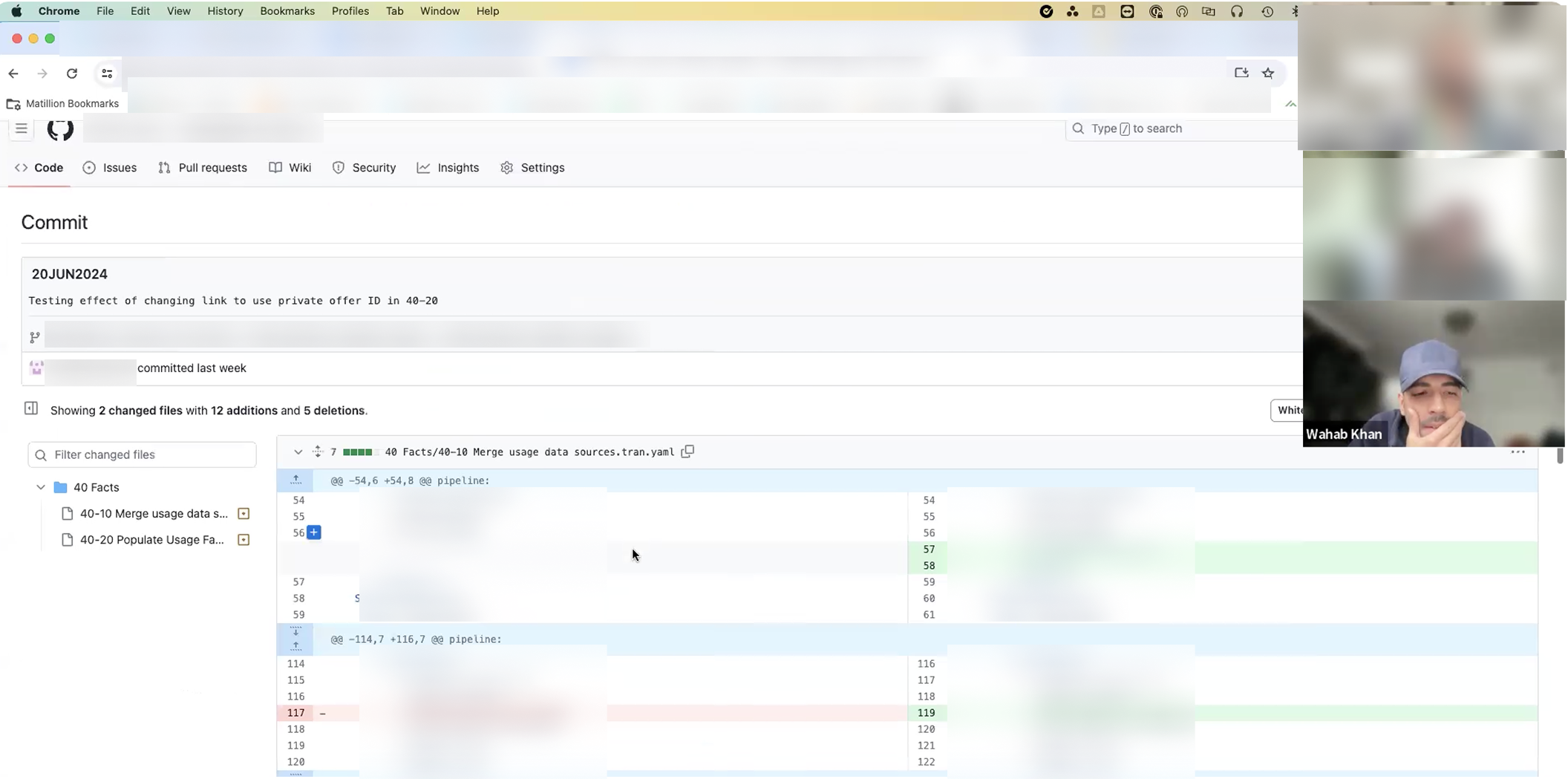
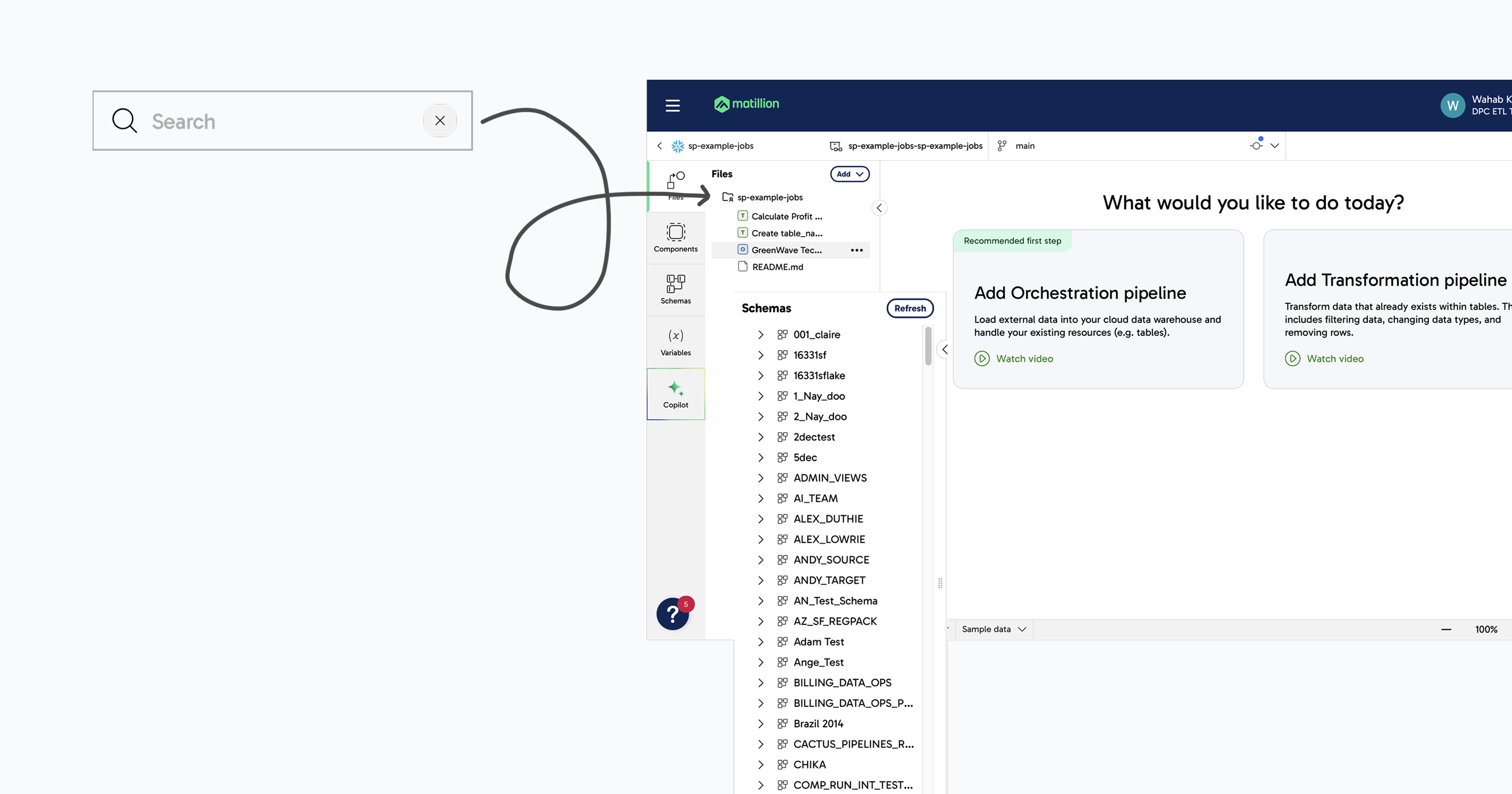
User interviews exploring topics such as experience with existing Git functions, what worked well, what needed improvement, workarounds, priority of information, and defining the Minimum Viable Product from the user's perspective.
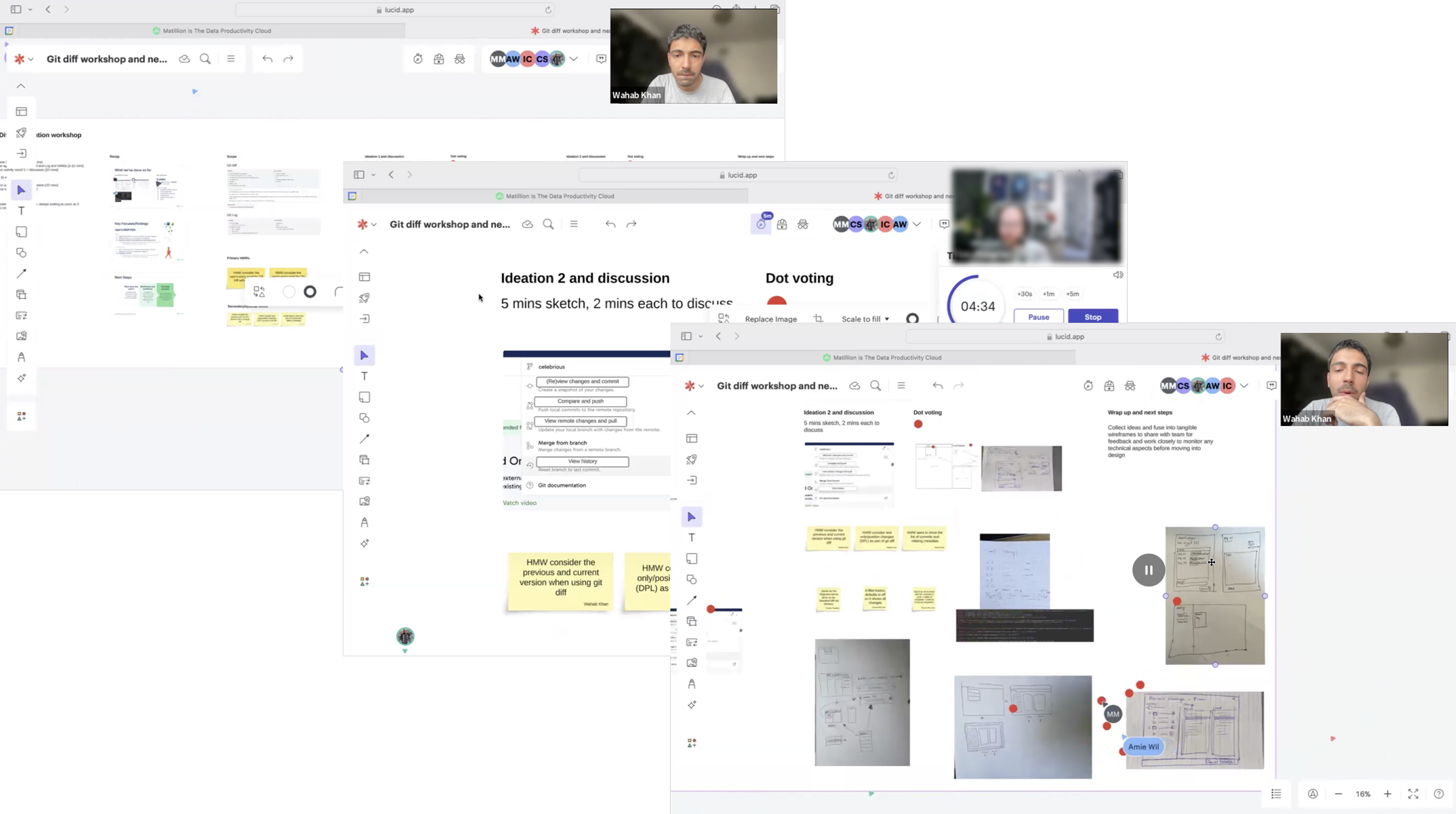
A collaborative workshop that moved from discovery and scoping through How Might We framing, two rounds of ideation, and group voting to select iterations to progress into design.
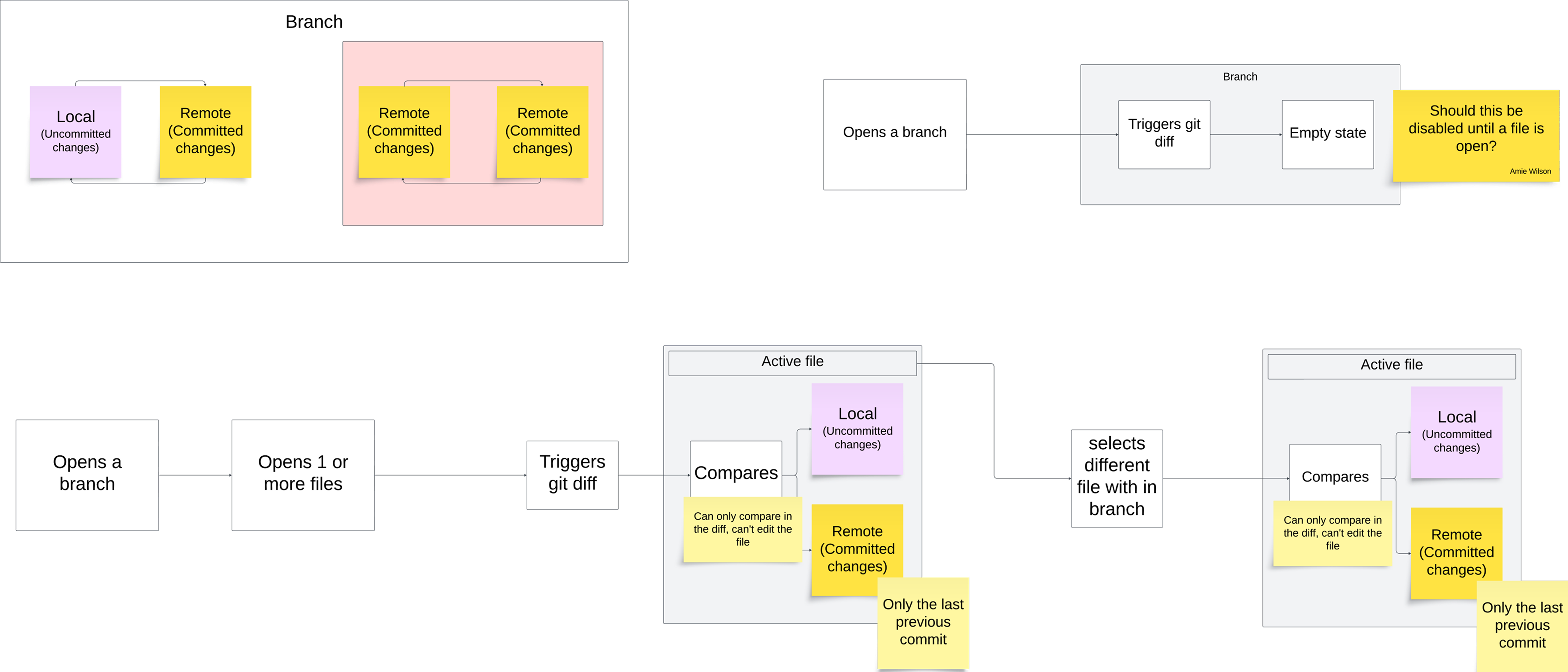
The flow illustrates how Git Diff activates within a branch showing the relationship between local (uncommitted) and remote (committed) changes. It defines when users can trigger a diff, view comparisons, or see an empty state, ensuring clarity and control throughout the workflow.
Key user needs (framed as problems)
- "I need to easily understand what changed between my local version and what has been saved."
- "I need a scannable, side-by-side view because inline comparisons hide too much context."
- "I need clear indicators of what was added and what was removed."
- "I need control. Show me all files, or only the ones that matter."
These weren't feature requests. They were framed as problems to solve.
Ideation and Design
Using insights from the workshop, I explored two directions:
Concept A: Inline comparison
- Lightweight
- Familiar to engineers used to command-line tools
- But less visual clarity, harder to scan quickly
Concept B: Side-by-side comparison, inspired by IDE tools (chosen)
- Mirrors the mental model engineers already have from tools like VS Code
- Clearer structure, better scannability
- Stronger visual separation between what changed and what didn't
Testing with internal engineers confirmed Concept B was more intuitive and trustworthy. We developed it further through:
- An interactive comparison view with contextual filters
- A transparent, scannable layout that built user confidence
- Visual indicators that made additions and deletions immediately obvious
Execution
I partnered closely with engineering to:
- Deliver a scalable, technically feasible feature
- Balance performance with clarity throughout
- Ensure the final implementation matched the intended UX through regular QA checks
Regular check-ins with Product helped prioritise and sequence improvements for rollout.
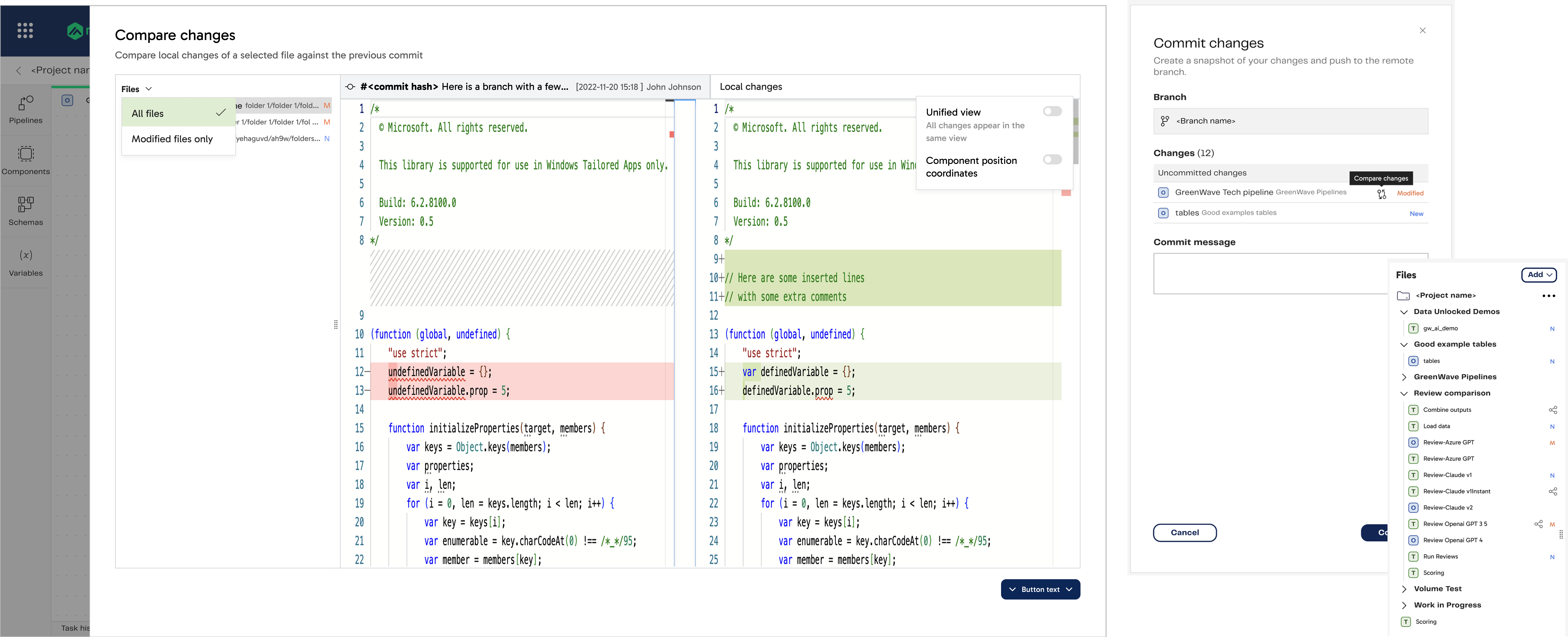
The Git Diff design providing a side-by-side comparison view showing exactly what changed between local and committed versions. Visual indicators highlight additions and deletions, while contextual filters like All files or Modified files only give users flexible control.
Validation and Testing
Usability testing with five data engineers:
- 100% task success rate
- All participants rated the flow "easy" or "very easy"
- Zero misclicks or moments of confusion
Participants described the experience as:
- "Clear"
- "Intuitive"
- "Exactly what we needed"
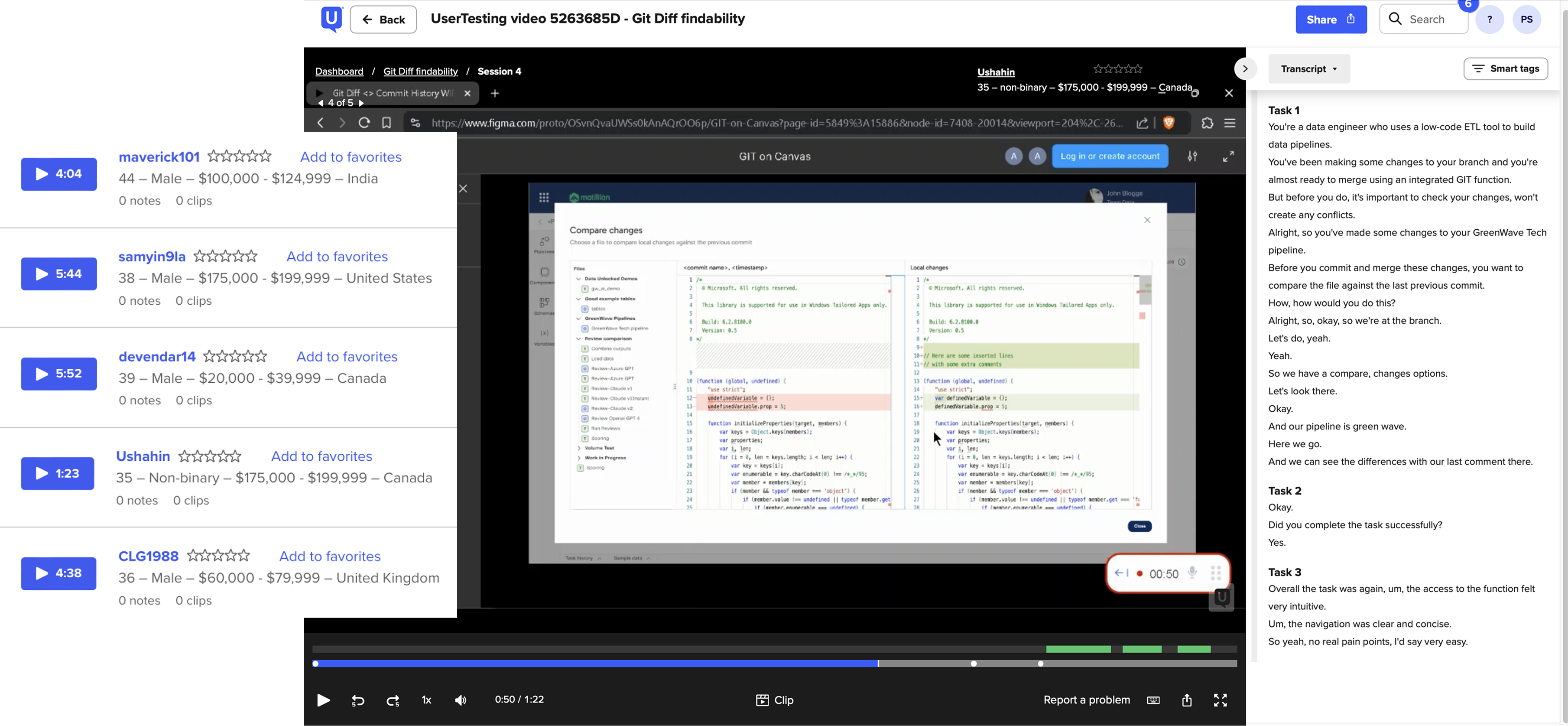
I ran tests with data engineers to test Git Diff's findability and clarity. Participants were asked to locate and use the feature within realistic tasks, all successfully completed the comparison flow, describing it as "clear," "easy," and "intuitive."
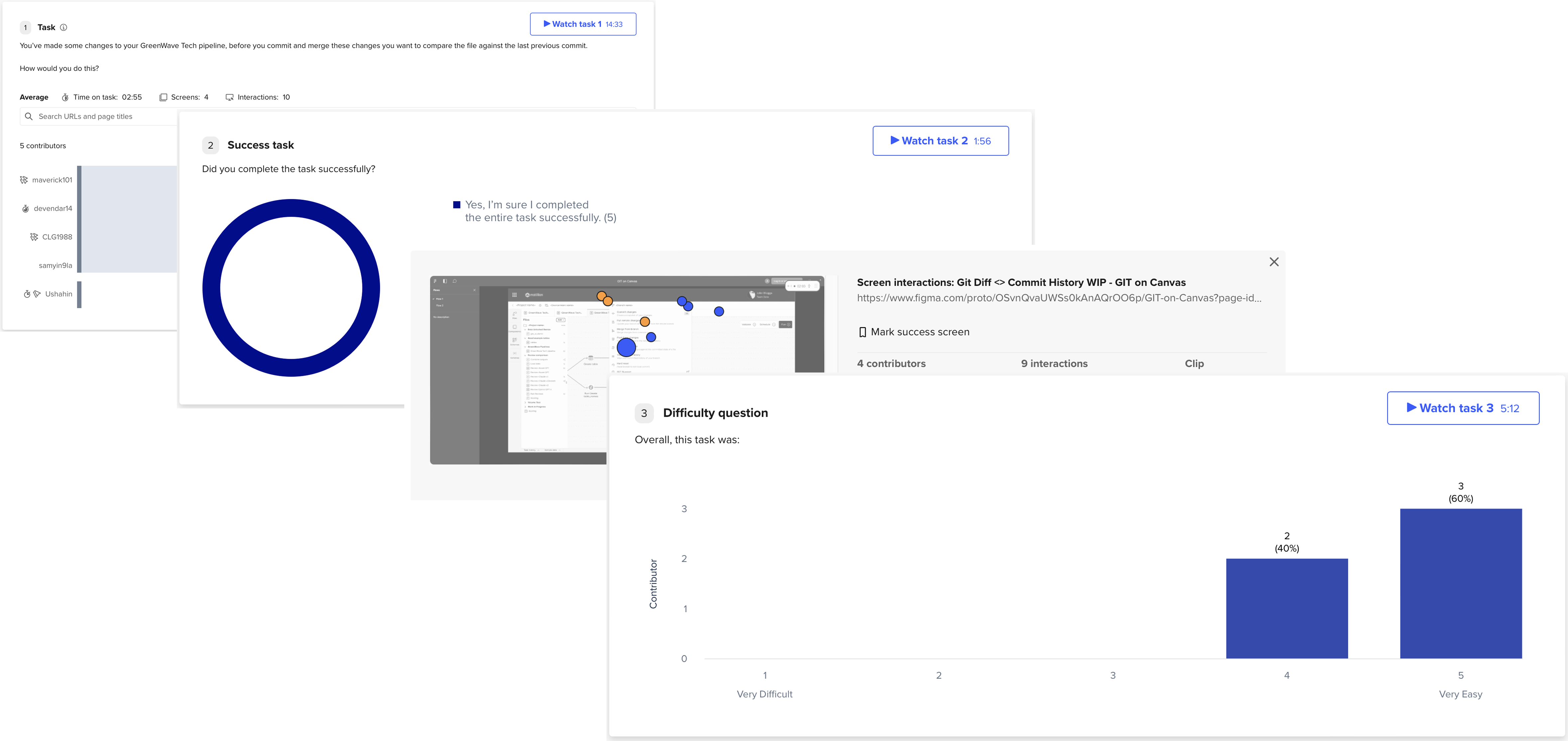
All participants successfully completed the Git Diff task, confirming the feature was easy to find and understand. Most rated the experience as "very easy," validating the clarity of the design and overall discoverability of the comparison flow.
Outcomes and Impact
Results
✅ 34% increase in successful commits
✅ 15% decrease in error recoveries
✅ 100% success rate in usability testing
Business outcome
🎯 Better version control visibility increased overall platform trust:
- Lower cognitive load on engineering teams
- Fewer support tickets related to version control errors
- Teams trusting Matillion's workflows more, reducing reliance on external tools
- Increased commit confidence leading to faster pipelines shipped
- More time focused on real work, not recovering from mistakes
- Matillion feeling more like a reliable IDE, not just a data tool
The cost of skipping validation
Without a research-led approach, the team would have shipped a basic comparison view with no grounding in how data engineers actually think about changes. The scannability vs inline debate wouldn't have been tested. Edge cases around file filtering would have been missed. There would have been no metric baseline to measure whether the feature actually changed behaviour.
The 34% increase in commits and 15% reduction in error recoveries are not just outcomes. They are evidence that the design changed how engineers work, not just how the screen looks.
Reflection
This project reinforced a principle I keep coming back to: clarity creates confidence, and confidence drives adoption.
I also learned the value of shaping not just the UI, but the behaviour around it. Supporting engineers in shifting to integrated version control workflows, with less friction and more trust in the tool, was the real outcome. The numbers confirmed it.
Next steps
- Merge-level comparisons
- Conflict resolution flows
- Commit-to-commit comparisons